
Designing Custom Apps with Prompts
Soon, the ability to build personalized, functional apps will no longer require years of development experience.
My First Apple Swift App
I am comfortable creating scripts for automation and configuration management, but I had not yet built a functional native app for iPhone, iPad, and Mac. When Apple integrated support for AI coding assistants into Xcode, I wanted to see if I could build an app immediately using prompts.
I work with VMware products and maintain a home lab to test ideas. For my first Swift project, I wanted to connect to VMware VCF Operations and vCenter to display lab data on my iPhone.
Goals and Use Case:
- Connect to VMware vCenter and VCF Operations.
- Achieve a native Apple look and feel, like the Apple Reminders App.
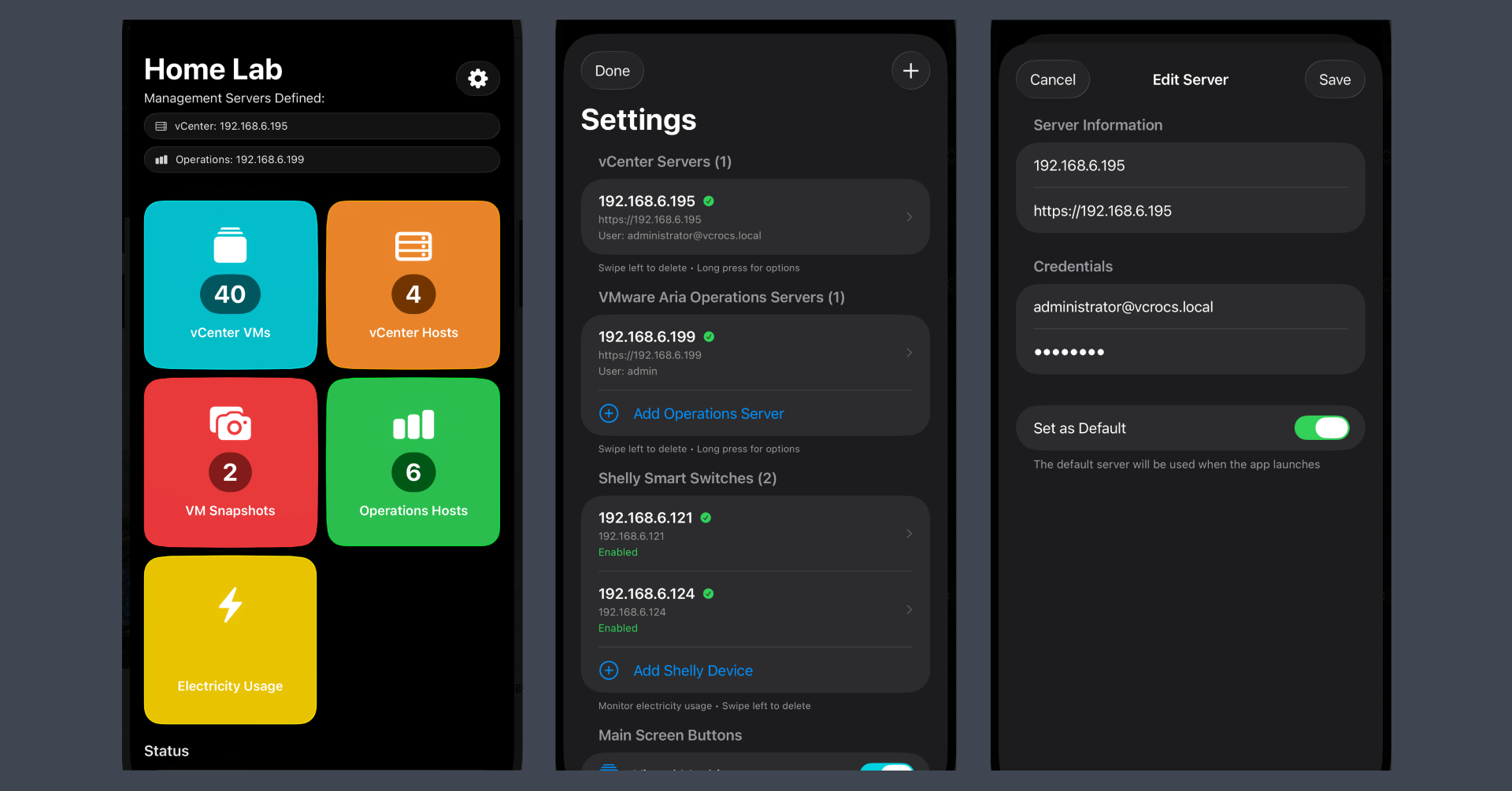
- Include a settings area so others can use the app.
To guide the UI design, I used a screenshot of the Apple Reminders app and prompted the AI to use it as a visual template.
I started with existing scripts that already pulled the data from VMware vCenter. I pasted these into the prompt and instructed Claude to convert the logic into Swift. The conversion was successful, though Claude occasionally struggled with specific API calls. On several occasions, I provided working curl commands to help Claude generate the correct Swift code.
Initially, my new app used full-width buttons. As I added features, I needed to save UI space and prompted Claude to switch to a two-column button layout. While the visual change worked, the underlying logic broke; every button linked to the same “Electricity” section. Claude could not fix the UI mapping. I did a lot of prompts to explain how the UI was working but it could not fix the UI issue. So I switched to OpenAI to see if it would be able to fix the UI issue. ChatGPT set to minimal reasoning was also not able to fix the UI issue. I changed ChatGPT to use low reasoning and it was able to fix the UI issue on the first prompt.
Lesson Learned:
- Do not stop when an app fails to function as intended. Experiment with different prompts and various AI coding assistants. Much like human programmers, these tools have different strengths and approaches to writing code.
Providing tools to someone who already understands automation and APIs is a major shift. I am comfortable with VMware PowerCLI, but I did not know Swift. By combining my product knowledge with AI-generated Swift code, I am excited about future possibilities.
I have now built three projects using AI assistants:
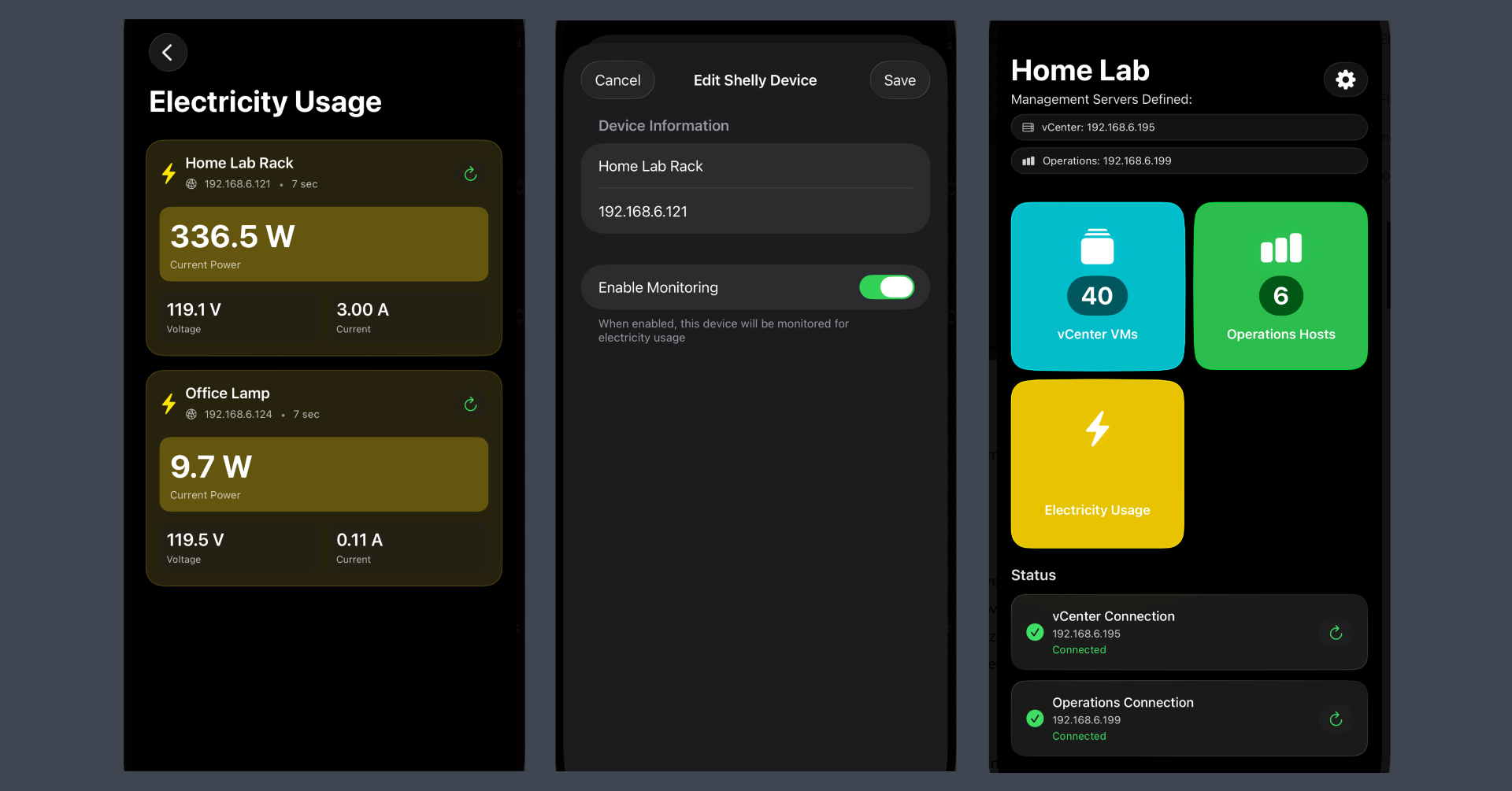
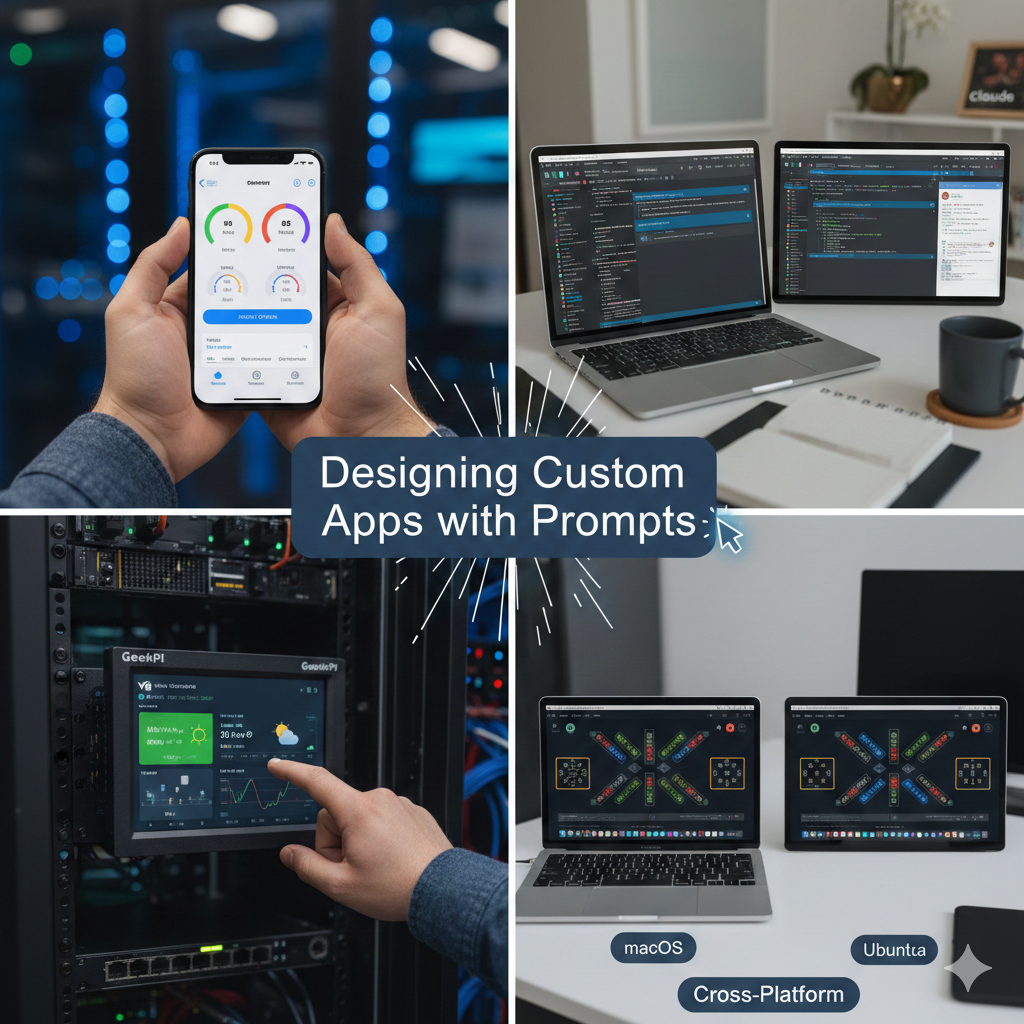
- VMware Lab Dashboard: An Apple native app that connects to VCF Operations and vCenter, while also displaying data from Shelly Smart Electrical Switches.
- Cross-Platform Solitaire: An Electron-based app prompted in just two steps that runs identically on macOS and Ubuntu.
- Raspberry Pi Kiosk: An Electron app that displays full-screen web pages at boot on the GeeekPi 7.84 inch 1280x400 LCD Touch Screen 2U Rack Mount Monitor mounted in my GeeekPi 12U Server Cabinet, 10 inch Server Rack for Network and Servers. It cycles through VCF Operations dashboards, local weather, and the Broadcom (AVGO) stock price, all managed via a built-in web admin page.
Examples
Here are some images and short videos showing what I was able to create using prompts:
Main Screen and App Settings:
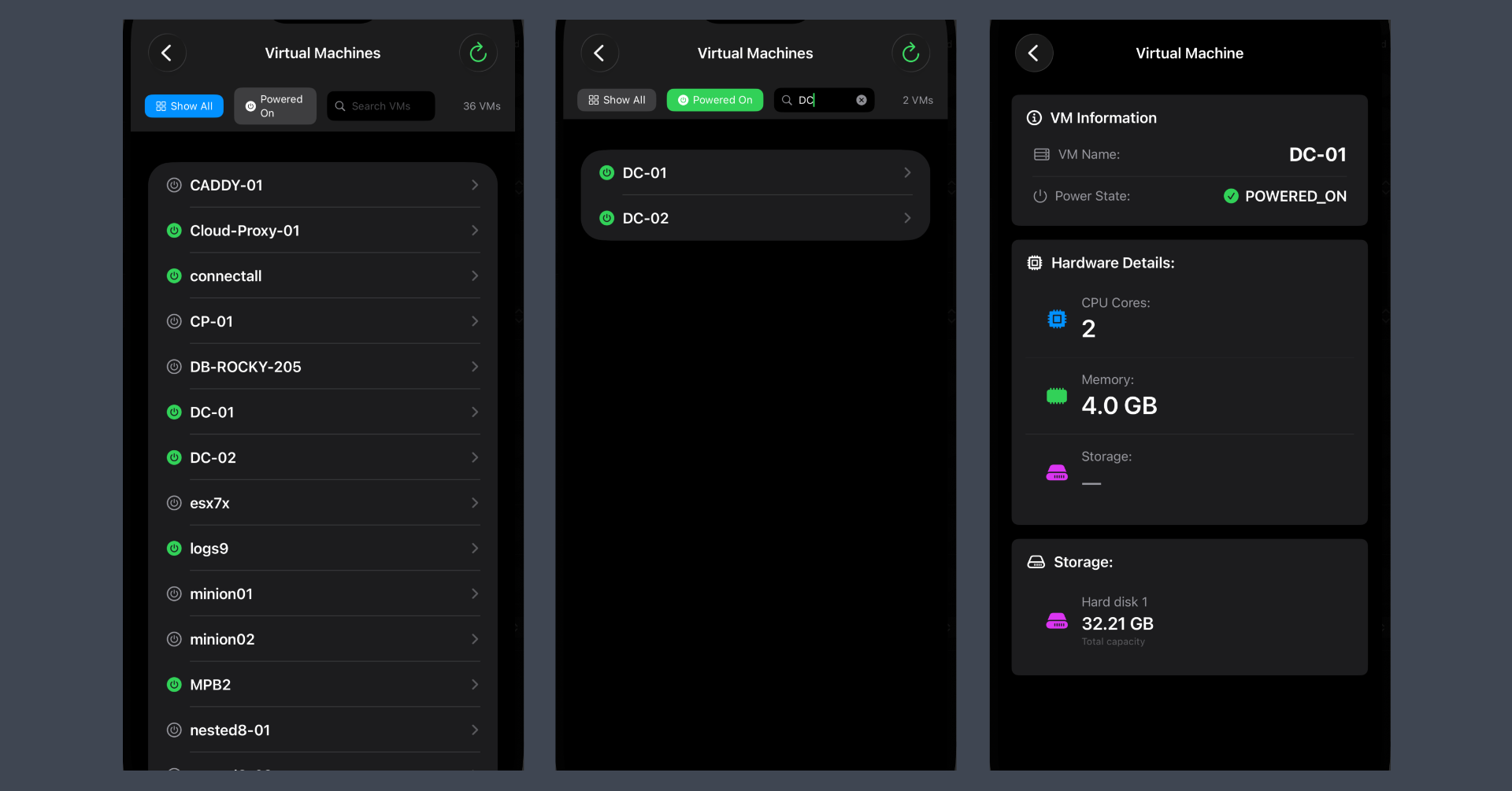
VMs | Filtered | VM Details:
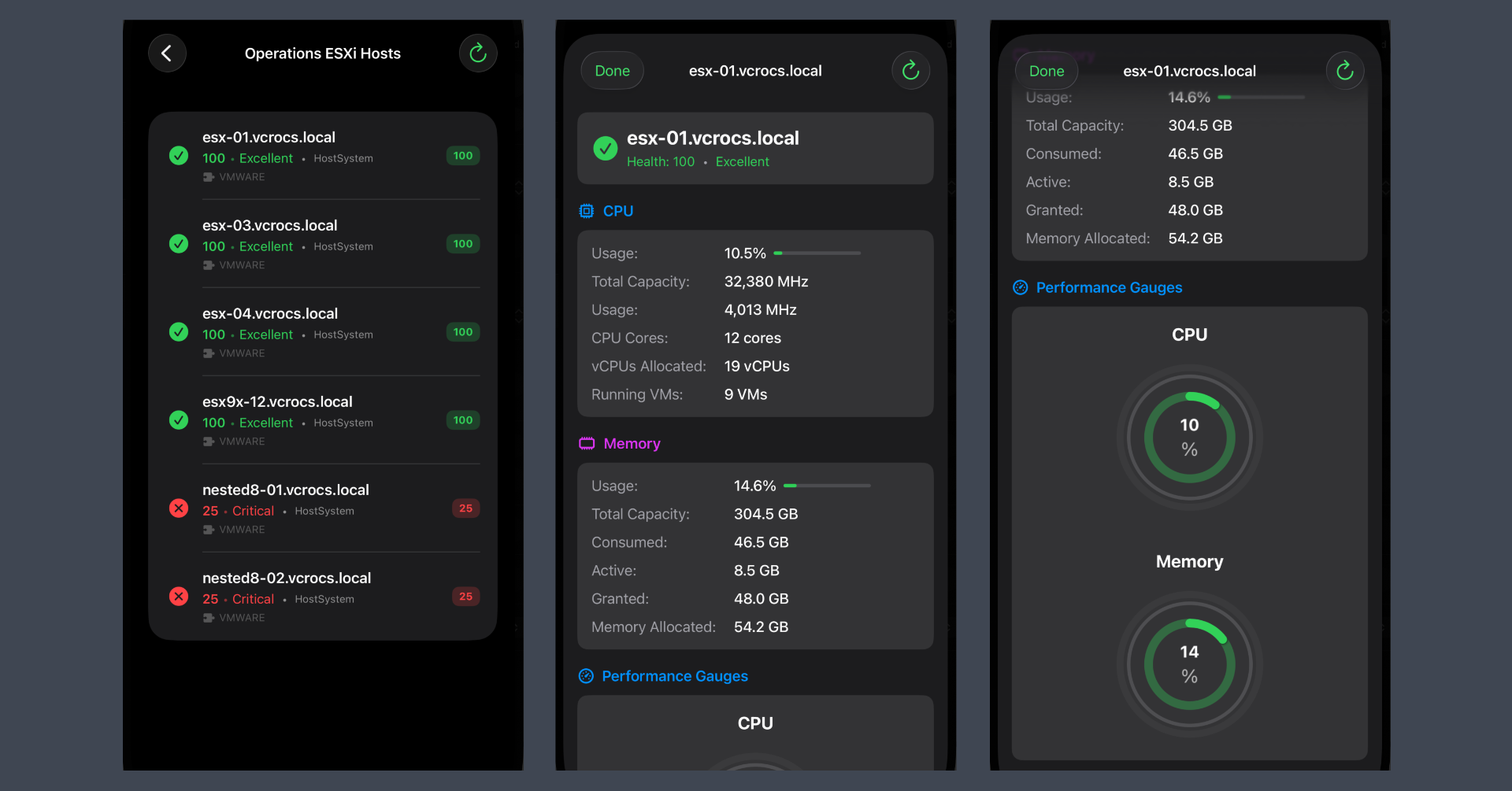
Hosts | Hosts Details | CPU/Memory Gauges:
Smart Switch | Smart Switch Config | Customizable UI:
App usage:

Lessons Learned:
- Build from scratch: You can now create custom applications entirely through prompting.
- Domain knowledge is required: Generating apps is not magic; you must understand how applications function and how to connect to data sources for the AI to be effective.
- Use multiple tools: Achieving the desired result often requires several AI assistants and multiple rounds of prompting.
In my blogs, I often emphasize that there are multiple methods to achieve the same objective. This article presents just one of the many ways you can tackle this task. I’ve shared what I believe to be an effective approach for this particular use case, but keep in mind that every organization and environment varies. There’s no definitive right or wrong way to accomplish the tasks discussed in this article.
Always test new setups and processes, like those discussed in this blog, in a lab environment before implementing them in a production environment.
If you found this blog helpful, consider buying me a coffee to kickstart my day.