
Custom Summaries will change your workflow with VCF Operations.
VCF Operations Custom Summaries = The ultimate ‘Single Pane of Glass.’ Create a tailored view that shows your team exactly what they need to see, when they need to see it. 👀
vCommunity VCF Operations Custom Summary:
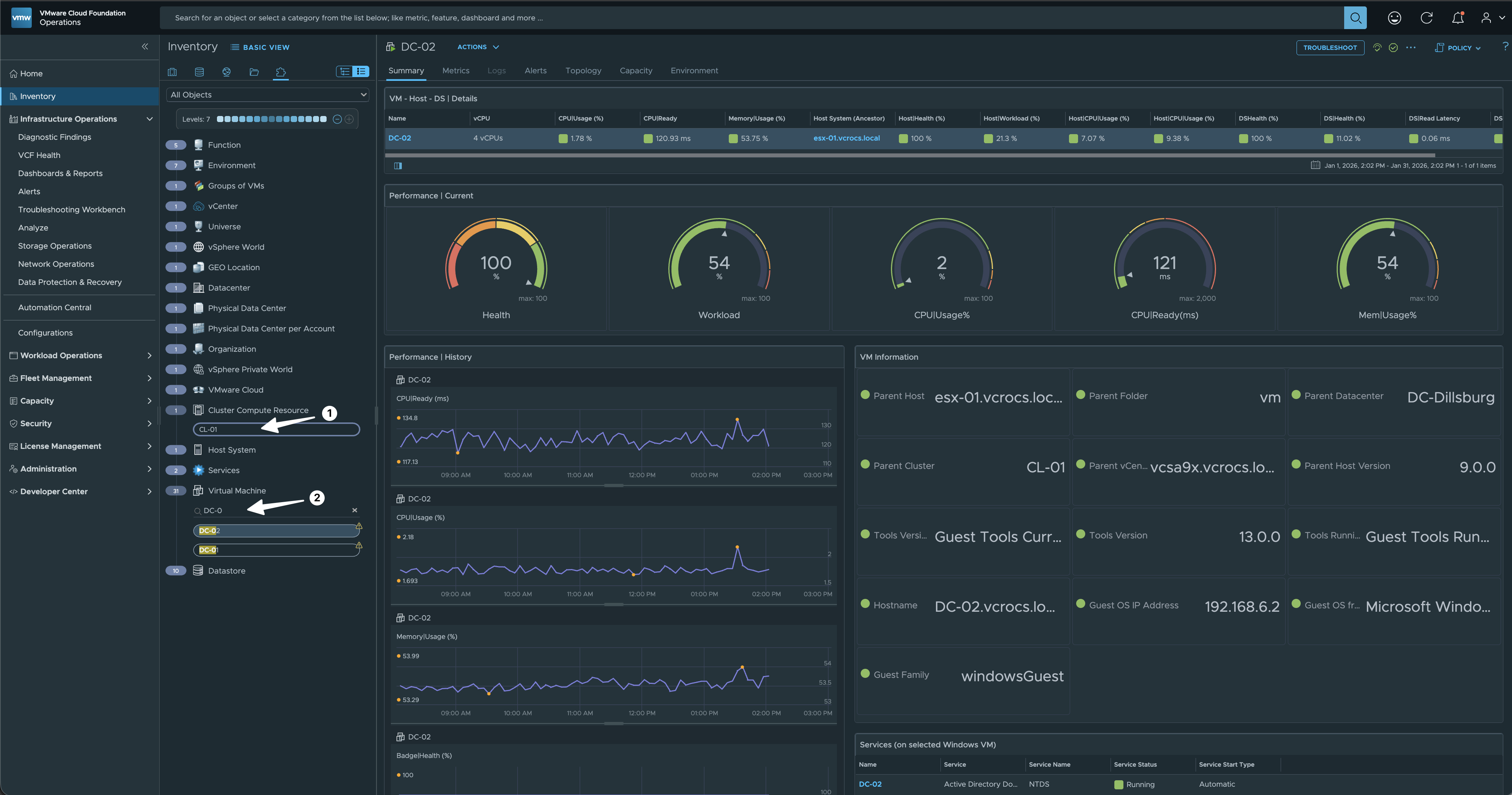
- What I love about Custom Summaries is the control they give you; you can hand-pick the Metrics and Properties that your team actually cares about and make them the primary focus
- I started by searching for the Cluster Name and filtering for the specific VMs I needed to investigate. The beauty of this approach is that once you select the object, the Custom Summary immediately displays the high-value metrics and properties you’ve pre-selected for your team.
Standard vs. Custom: Check out this video comparison to see how much more visibility you gain with a Custom Summary versus the default Out-of-the-Box experience.

Step-by-step: Configuring VCF Operations to use a Custom Summary for the “Virtual Machine” object type.

Step-by-Step: Restoring the Default Summary for the Virtual Machine object type in VCF Operations.

Design Guide: Key Principles for Building Dashboards that Work as Custom Summaries
- What you select in the inventory view determines what you see in the Summary
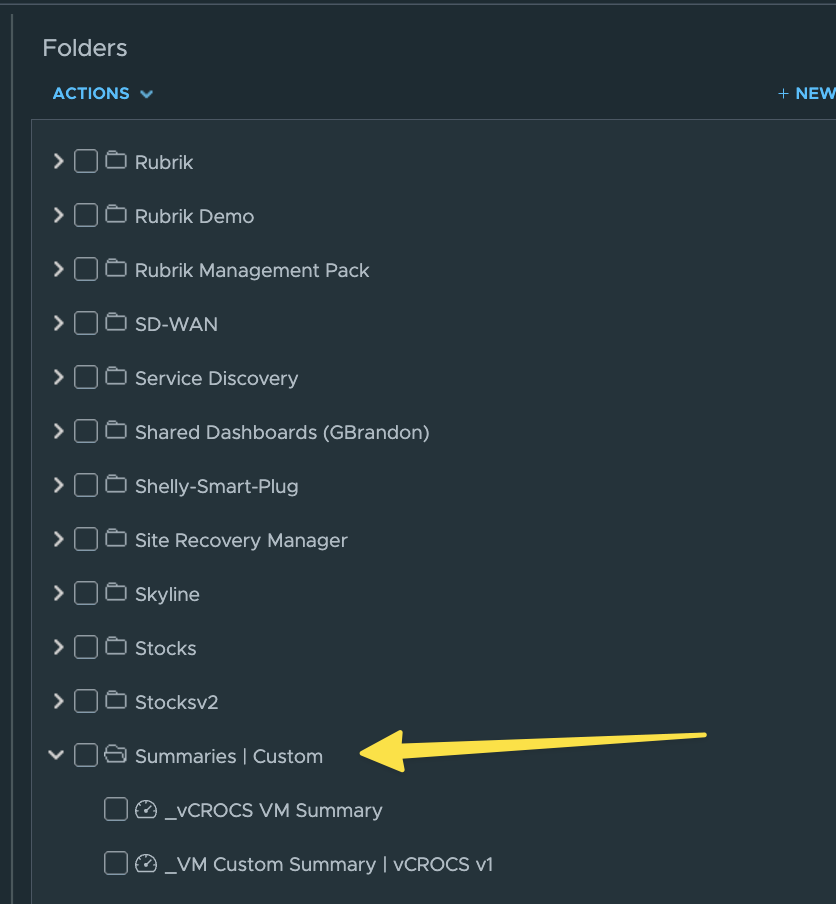
- Organization Tip: 💡 Create a specific folder for all Summary-based views. This keeps your workspace clean and ensures your custom summaries don’t get lost in the shuffle of your general dashboard inventory
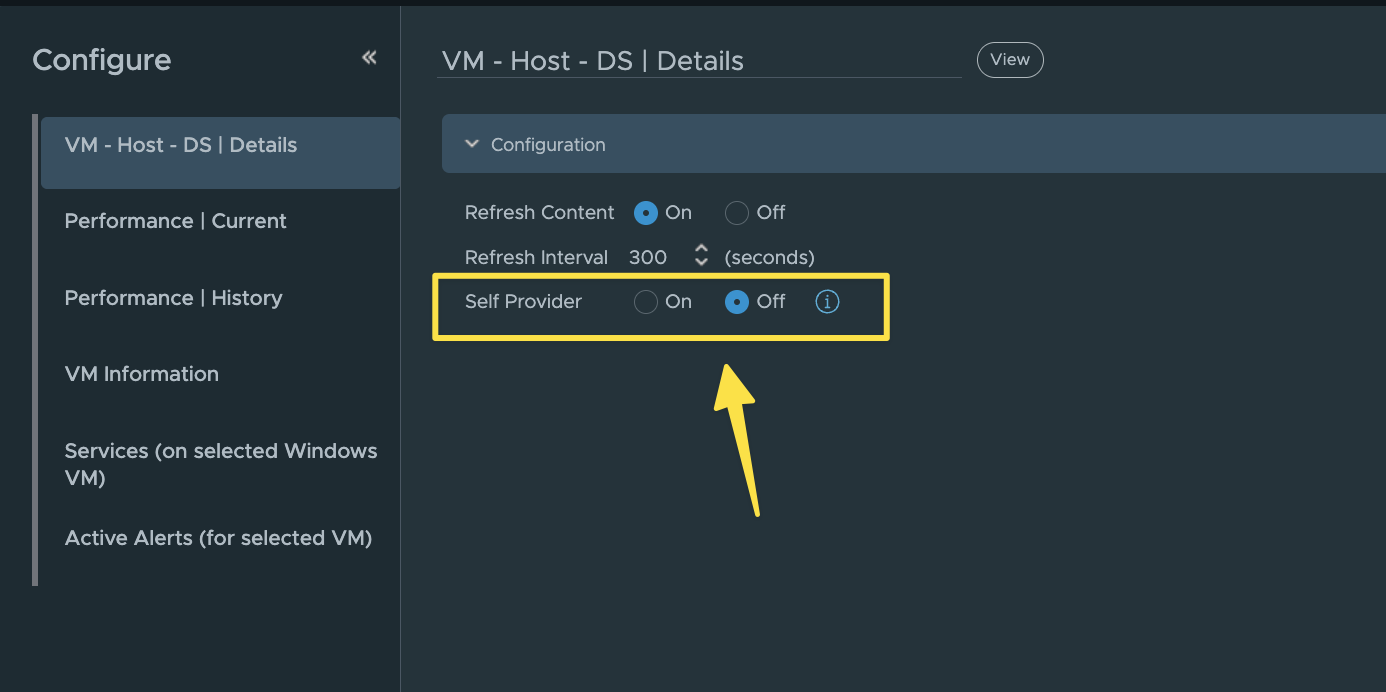
- Dashboard MUST ✅ be set to Self Provider “OFF” 👈🏻
Lessons Learned:
- If you aren’t using Custom Summaries yet, you’re missing out on a massive workflow evolution within VCF Operations.
- A huge thanks to Brock Peterson for his recent vCommunity Management Pack demo. Seeing his approach to Custom Summaries was a total “lightbulb 💡 moment” for me, completely changing how I view their potential to reshape VCF Operations workflows.
- Brock Peterson has a Blog on Custom Summaries | Click Here
- My long-term goal is to implement tailored Custom Summaries across a wide range of Object Types within my environment to ensure specialized visibility at every level.
- VMs, Hosts, Storage, more…
In my blogs, I often emphasize that there are multiple methods to achieve the same objective. This article presents just one of the many ways you can tackle this task. I’ve shared what I believe to be an effective approach for this particular use case, but keep in mind that every organization and environment varies. There’s no definitive right or wrong way to accomplish the tasks discussed in this article.
Always test new setups and processes, like those discussed in this blog, in a lab environment before implementing them in a production environment.
If you found this blog helpful, consider buying me a coffee to kickstart my day.